

 At AU I made time to attend an excellent presentation by Lou Ball, who has been in the utility business for over 20 years, on migrating data from CAD drawing files (typically DWGs) to GIS. CAD applications, whether you're talking about AutoCAD or Microstation, are (too) flexible and the challenges are identifying where the data elements you intend to migrate are, cleaning up the data, preparing them for migration. Lou outlined the steps to follow in migrating CAD drawings.
- Understand the source data
- Map features from source to target
- Plan for data cleanup
- Develop a migration strategy
Drawing Assessment
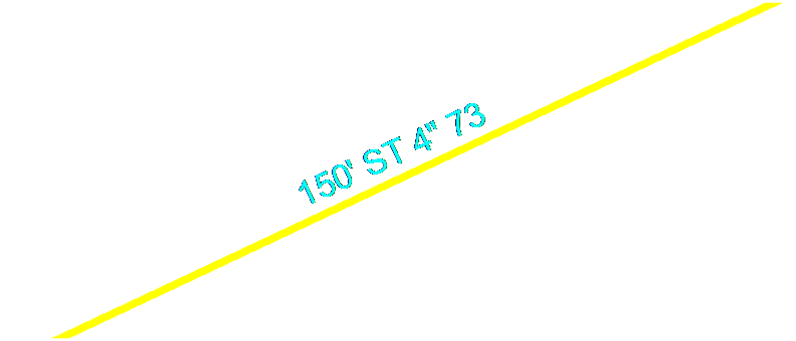 Assessing drawings is the first, very important part of migration. Just because a printed drawing looks clean, it still may require a significant effort to identify where the data you're interested in is stored and to prepare the data to be migrated to the GIS. For example, in the case of AutoCAD-based applications, data may be in object data,
extended entity data, block attributes, externally linked databases,
stored in labels (see the attached image), or something you might have to infer from linestyle and colour.
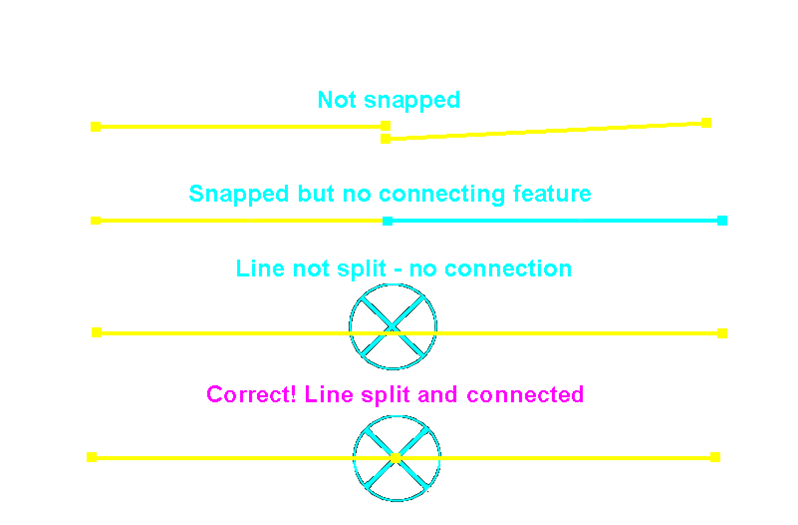 Lou talked about other typical problems, for example, common line problems, unsnapped lines, lines not split, and no point feature where lines are joined. Blocks also represent challenges.
Data Cleanup Tools
There are several very good tools that can help cleanup data. Lou outlined his experience with each and the types of problems each can help with.
- AutoCAD CAD Standards
- AutoCAD DesignCenter
- Autodesk Map3D Drawing Cleanup
- Drawing Cleanup Utility (DCU)
Migration Tools
He outlined the migration tools he has used and the advantages of each.
- AcClassify Enterprise
- SHP2SDO – Shape to Oracle Spatial
- Safe Software® FME™
- Autodesk Topobase
Really this is a wealth of information and experience that is invaluable for anyone who has to migrate CAD drawing data to a GIS. You can find Lou's presentation on the Autodesk University web site.

Be the first to comment