
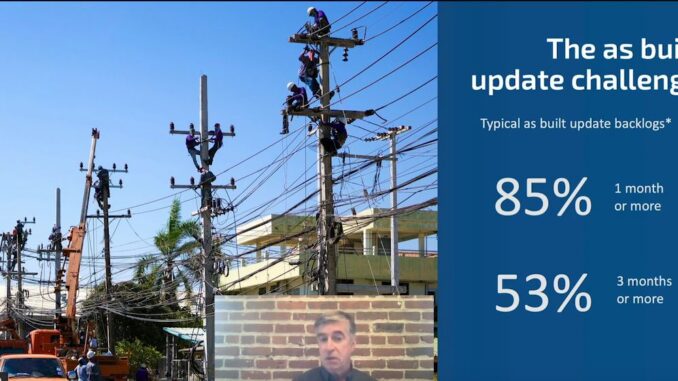
The as-built update backlog is the time it takes for as-builts submitted from the field after completion of construction for newly installed network equipment to get entered into your utility GIS. It is generally measured in months which is appalling today when we have real-time or near real-time data about so many aspects of the real world from traffic to weather.
Field sourcing
The key to solving this problem is to enable crowdsourcing of updates from the people who actually do the construction, the field workers, so construction crews can make those updates where and when the work happens. In order to do that, we really need data capture tools that are much faster and simpler, in other words, more automated than today’s solutions.
 There are a number of enabling technologies that can change the way that we approach this problem; computer vision, machine learning, augmented reality, voice interaction, and reality capture can all play a role. A lot of these things are being driven by other industries outside the geospatial technology industry. Part of the challenge in bringing together a solution for the as-builting process is looking broadly at these different types of technologies and where they’re applied and bringing them together into a solution for utilities. You need to enable the people doing the construction to capture accurate location and attribute data quickly and efficiently. Anyone should be able to use the system with minimal or no training and it should use inexpensive commodity equipment.
Automating feature recognition
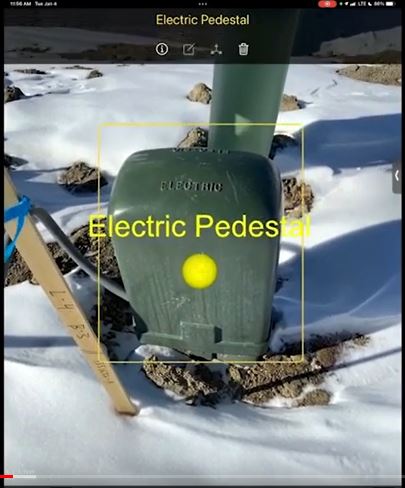 As an example, we’re in a new subdivision construction site and we’re going to do some as-built data capture of some electric equipment using an iPad. We point our mobile device at a piece of utility equipment and the application automates the process of detecting what the equipment is. The user just taps the screen to add the feature, an electrical pedestal. Next, we point our mobile device at the neighbouring electric meter. And again, it’s automatically recognized and we tap to confirm that we want to add it. We can then scan the meter to add more detailed attributes according to rules that we’ve set up.
Now we want to add a cable. If the trench was still open so the cable was visible, we could automatically recognize it like we did with the other features, but since it’s hidden, we select it from a list and then just tap to add points along the path of the cable. As we walk, you can see the cumulative distance of the cable path being shown at the top. Lastly, we’ll add an electric cabinet in the same way and scan its attributes, including the transformer number and manufacturer on the front side. Then the KVA from the yellow 50 on the side. We zoom in more closely to get additional attributes like the serial number, work order number from the smaller label.
Once we have completed scanning the various objects, the data gets pushed automatically to the GIS with no user intervention needed. We can see the features that we just captured on a map with their attributes plus photos. The newly captured data about the equipment is immediately available in any GIS client. For example, we can see the newly captured equipment data on a handheld mobile device or it can be viewed on any web browser. The data can then be pushed on from the GIS to real-time systems like an ADMs outage management system or network management system.
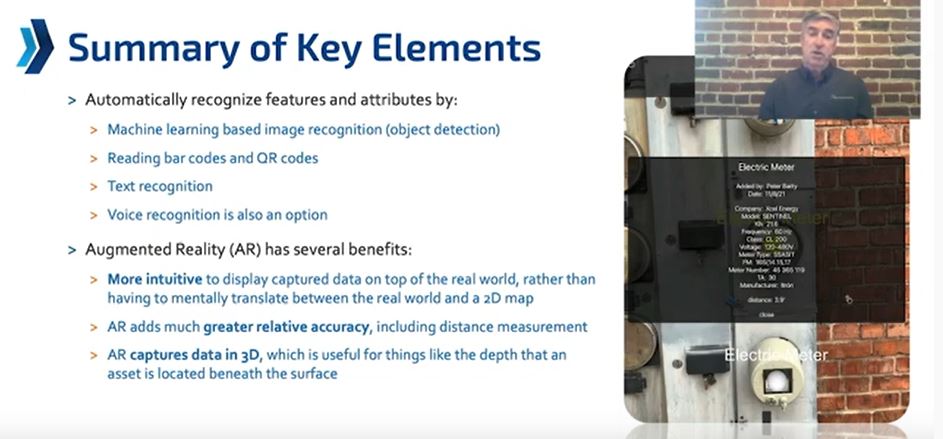
The app is able to automatically recognize features and attributes using machine learning based image recognition, to tell what type of feature it is, read barcodes and QR codes, and use text recognition to capture detailed attributes. The additional attribute information also reinforces the feature recognition in some cases. 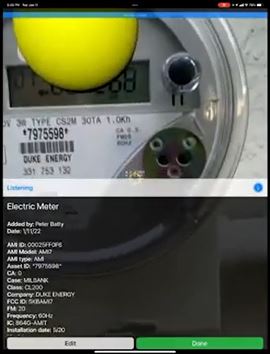 YYou can also use voice recognition as a backup if there’s a scenario where you have to correct something that was misrecognized or something that can’t be identified correctly.
Lastly is an example of capturing very detailed attributes quickly. We captured 22 attributes in just over a second from an electric meter.
Location accuracy
Location accuracy is particularly important for underground assets. AR gives much greater relative accuracy than consumer GPS and phones do. It measures accurate distances and angles in 3D for recording of relative asset layout. In a range of tests we found AR is accurate to about 1%. As a simple example. we measured a 10 foot distance next to a tape measure. We’ve added a virtual pipe and you can see the measured distance in the augmented reality app is 10 inches and it’s within an inch of the 10 foot mark or within about 1%. Tests of up to about 100 feet have found the same 1% accuracy. AR provides much better accuracy than you could get with anything except the very highest precision GPS.
Visual positioning system
Apple’s GeoAnchors is their implementation of the AR Cloud. The idea is that as you’re moving your mobile phone around among 3D objects captured in a street view scene, it uses the camera view to match what the camera is seeing against the highly accurate street view type imagery, which Apple calls look around imagery and that refines the position.
Conclusion
Field sourcing of data is key.. You need to enable the people doing the construction to capture the data, and these new technologies really open up some very exciting new ways that we can provide systems to the construction workers to enable them to capture accurate location data. We foresee that visual positioning systems are very likely going to supersede high precision GPS in a lot of scenarios.
This post is based on Peter Batty’s (SSP Innovations) talk at the Subsurface Utility Mapping Strategy Forum (SUMSF).
Be the first to comment