

From time to time I try to invite guest bloggers to give their take on things geospatial. For this blog I have been fortunate enough to have Justin Lokitz contribute his perspective. Justin is the AutoCAD Map 3D Product Manager at Autodesk. Some of you will remember Justin from his stint at Oracle, where he was previously to joining Autodesk.
The lines between the traditional information silos of CAD and GIS are becoming blurrier. While traditional cartographers (and other central practitioners of GIS) may not “create” a lot of engineering data or metadata, they use their design skills to create maps that are interesting, easily understood and impactful. Why? Because maps help people make decisions about how to add, update, change or remove something with geographical context. Similarly, while CAD may have started out as a practice employed by engineers and drafters to create designs as the basis by which to produce things like cars and airplanes, CAD practitioners have used those same CAD tools and skills to create more map-like designs for projects with more obvious geographical perspectives, such as utility networks, parcel layouts and road design. Like their GIS counterparts, these designs are used for decision making as much as they are used for production and construction. Moreover, in many cases the same users of CAD software may also use GIS and vice versa. As these lines continue to get blurrier, one thing is for certain: people are not looking to pile on additional software packages to help solve their problems. Instead, GIS and CAD practitioners alike are looking for software and feature convergence which makes it simpler to get their jobs done efficiently and effectively.
With that in mind, one way both CAD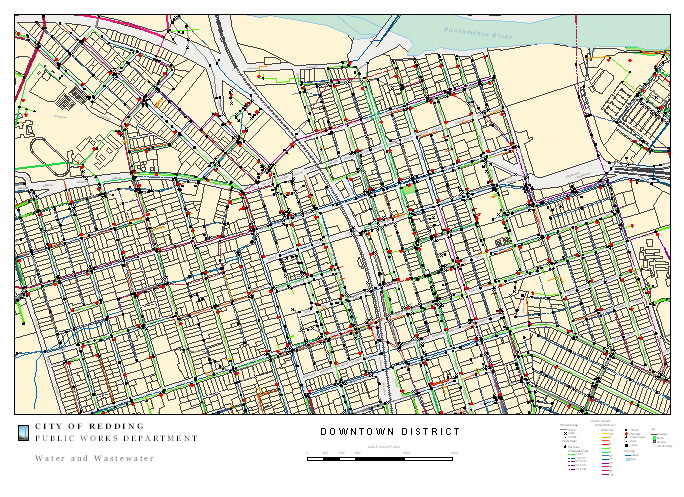
and GIS practitioners have found they can do more with less is via geospatial-enabling, which helps to bridge the gap between CAD (data creation) tools and GIS (map design and analysis) tools. Geospatial-enabling means adding geospatial capabilities to the applications you already use. Virtually all relational database management systems (RDBMS) are now geospatially-enabled. For example, Oracle, SQL Server, and MySQL enable you to store, query, and manipulate geospatial data. As another example, CAD tools are now geospatially-enabled, so you can continue to use the CAD tool you are already familiar with, but now you have the added ability to do geospatial things with the same familiar tool.
For instance, many CAD users have for a long time kept a copy of ArcView or MapInfo on their desks just so they could perform an overlay analysis. By geospatially-enabling AutoCAD (called AutoCAD Map3D and comprised of a full AutoCAD with geospatial extensions) an AutoCAD user in the familiar CAD environment he or she is used to, can perform geospatial analyses that he or she used to have to use a traditional GIS tool to do. For example, you can connect to multiple data sources, both CAD and GIS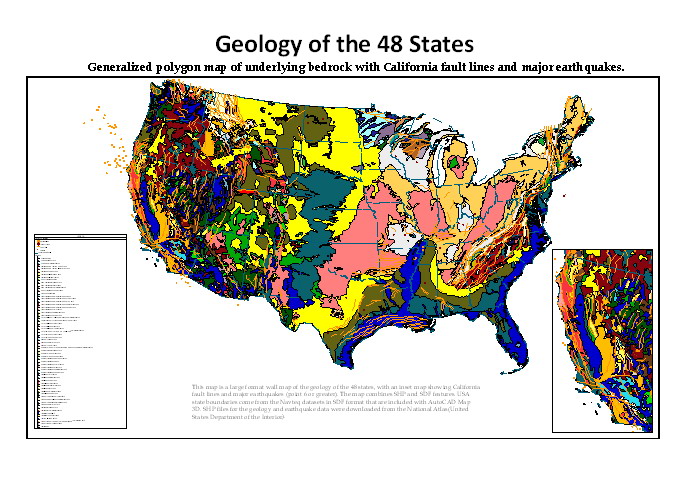
, using FDO (Feature Data Object API) and perform overlay analyses including intersect, union, erase, identity, clip, paste, and symmetric difference, and create a new feature layer with result of the analysis. One of the beta testers after using this said, “This is a standard GIS tool that is finally here! This saves time I like that it outputs a new file so that all original files stay intact.”
Another example of how technologies from different domains are being integrated into familiar desktop tools is automating or orchestrating workflows. Everyone finds that some of the things we do on a daily basis are repetitive, and wishes there would be a simple way to automate these. Workflow Framework is a way of automating common tasks in an AutoCAD environment by visually stringing together commands and logic that can then be executed automatically, saved and shared with others. A simple example might be creating a workflow for connecting to several FDO data stores, performing an overlay analysis, and creating a new dataset. While you might have used LISP scripts in the past to perform these actions, Workflow Framework simplifies this by enabling you to use visual programming to drag-and-drop tasks and string them together using application logic such as if/then/else. The resulting workflow can be stored as an XML file, which can be rerun and shared.
FDO, which is the hub for preparing and publishing data of almost any kind, both CAD and GIS, now has a data provider for Microsoft SQL Server 2008, which supports spatial data natively. Sean Bristol, Director of Engineering, WA State, Comcast Corporation said of FDO “Our geospatial system requires no middleware. We have direct access to our data, whenever or wherever we need it. Not only does this reduce costs, but also removes a step in our workflows – saving significant time.” In addition, FDO functionality has been enhanced to make it easier to move data around, for example, if you want to copy from a data source that has an unknown coordinate system.
CAD tools are used to create or capture most of the world’s precision spatial data, including architectural, engineering and geospatial. Geospatially-enabled CAD tools are making it easier for the AutoCAD user to create and capture geospatial data using familiar AutoCAD functions. For example, object snapping, which is familiar to CAD users, is now available to the AutoCAD user when he or she is doing geospatial things. Whether you’re creating a drawing or a map you can now use all those different types of object snaps, intersection, extension, apparent intersection, and parallel.
This is really where the business benefit is. There are millions of users the world over trained in the use of AutoCAD, and now whether they are doing CAD or GIS things, they can use the same familiar tools to create data for design drawings or for maps or both.
Be the first to comment