
One of the neat things about MapGuide Open Source is that it is designed to make it very easy for you to 
build mashups.
You’ve probably heard the term mashups, which refers to web applications built by integrating an application you’ve developed together with Google Earth/Maps to create an integrated application. The first mashup that I am aware of was built by Paul Rademacher and integrated a real estate property list called Craig’s List with Google Maps.
At the Location Intelligence 2006 (Li2006) conference Google announced Maps 2.0 Beta, which is the latest release of the Google’s web services API. One of the important things about this version is that it includes full documentation, which means that Google will support it. Google also announced some other things that were related and interesting; the relaxation of the 50,000 pageview limit, performance optimizations, and support for custom map types.
One of the big questions that had been on everyone’s mind who had built a mashup with Google Maps is whether they would be required to carry ads. After all Google’s primary source of revenue is advertising. At LI2006 Google announced two things, first that there would be a 90 day advance notice of a change in advertising policy, which currently does not require you to carry Google ads, and secondly that developers of mashups could opt to carry Google ads (via Google’s Adsense), which would allow them to monetize their mashups.
Google and MapGuide
If you are familiar with Google Earth, you know that there are several components. You have to download and install a free desktop application called Google Earth. Google Maps is the web services API that allows you to integrate your MapGuide application with Google. Google Maps also provides satellite imagery and maps from TeleAtlas and others.
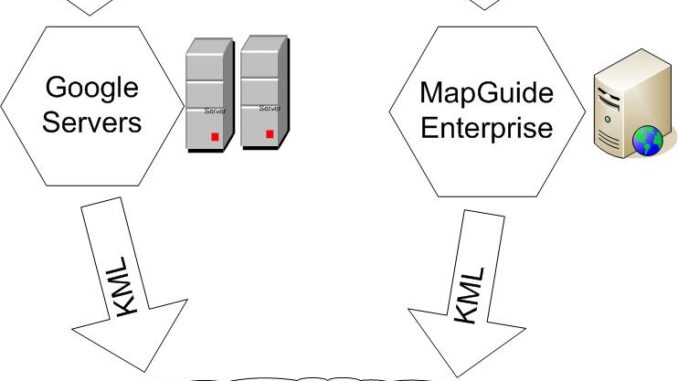
By combining MapGuide functionality with the Google Earth desktop application and Google Maps web services, you can deliver your content to anyone with Google Earth. This means that any organization can use Google Earth to share its data. For example, the results of an analysis of mobile phone coverage can be published through MapGuide to all types of audiences—technical and nontechnical—through the Google interface. MapGuide is the core analysis application, and Google Earth is the results delivery interface. MapGuide can use Google Earth as a client by taking advantage of Google Earth’s Network Links feature and the Autodesk MapGuide web application programming interfaces.
Licensing
There is no license fee to use Google Earth Basic. However, Google does charge a fee for additional functionality. Terms of use regarding the new API are found on the Google website at
www.google.com/apis/maps/terms.html.
Sample Code
To access sample code that connects MapGuide Open Source with Google:
http://data.mapguide.com/mapguide/DynamicKml/source/GoogleEarth.zip.
Sample Sites
To view the following links, you need to have Google Earth installed on your PC or Mac.
Jason Birch:
http://earth.nanaimo.ca/files/nanaimoMaster.kml
Andy Morsell, Spatial Integrators, Inc.:
http://mapguide.spatialgis.com/mapguide/GoogleEarthDemo
Autodesk Sample Demonstration:
http://data.mapguide.com/mapguide/DynamicKml/GoogleEarth.php

Be the first to comment